
FIFINE Gaming Audio Mixer SC3
Black
$59.99
Sale price
$59.99
Regular price
Skip to product information


FIFINE Gaming Audio Mixer SC3
$59.99
Sale price
$59.99
Regular price


Audio Recording Setup

Gaming Audio Mixer-SC3 |

Gamer Audio Mixer-SC8 |

Gaming Audio Mixer-SC3W |
Audio Interface-SC1 |

Gaming Set Bundle-KS5 |

Headphones Amplifier-N6 |

Low-Noise Line Mixer-N5 |
|
|---|---|---|---|---|---|---|---|
|
Customer Reviews
|
4,417
|
216
|
4,417
|
444
|
690
|
1,927
|
1,471
|
|
Price
|
$49.99 | $69.99 | $51.99 | $54.99 | $99.99 | $23.99 | $23.99 |
|
Product Item
|
Audio Mixer | Audio Mixer | Audio Mixer | Audio Interface | Audio Mixer+XLR/USB Mic | Headphones Amplifier | Line Mixer |
|
Features
|
Individual Channels Control | Individual Channels Control | Individual Channels Control | Mic Input, Instrument Input | Individual Channels Control | Stereo Audio Quality | Stereo/Mono Operation |
|
Specials
|
Volume Fader, Controllable RGB | Volume Fader, RGB, EQ, 7.1ch | Volume Fader, Controllable RGB | Audio Gain Indicator | Volume Fader, Controllable RGB | Compact Portable, Low Noise | Compact Format, Low Noise |
|
Function of Mixer
|
48V Phantom Power/Mute/Monitor | 48V Phantom Power/Mute/Monitor | 48V Phantom Power/Mute/Monitor | 48V Phantom Power/Monitor | 48V Phantom Power/Mute/Monitor | Individual Level Vol. Control | Individual Level Vol. Control |
|
More Function of Mixer
|
Customized Sound, Voice Change | Customized Sound, Voice Change | Customized Sound, Voice Change | Gain Knob/Vol. Knob | Customized Sound, Voice Change | LED Indicator | LED Indicator |
|
Uses
|
Game Voice, Live Streaming | Game Voice, Live Streaming | Game Voice, Live Streaming | Instrument Recording, Podcast | Game Voice, Live Streaming | Monitoring Tracking, Live Use | Audio Sources Blending |
|
Widely Uses
|
Audio Recording, Entertainment | Audio Recording, Entertainment | Audio Recording, Entertainment | Music Creation, Play and Sing | Audio Recording, Entertainment | TV Listen, Studio/Stage | Instrument/Audio Mixing |
|
Compatibility of Mixer
|
Computer,XLR/1/4’’ Mic,Phone | PC, XLR/1/4’’ Mic, Phone, TV | Computer,XLR/1/4’’ Mic,Phone | XLR/1/4’’ Mic/Guitar/Bass | Computer,XLR/1/4’’ Mic,Phone | Speaker, Headphones | Microphone, Guitar |
|
Widely Compatibility of Mixer
|
Headset,Speaker,Headphone | Headset,Speaker,Headphone | Headset,Speaker,Headphone | Computer,Speaker,Headphones | Headset,Speaker,Headphone | Television | Bass, Keyboard |
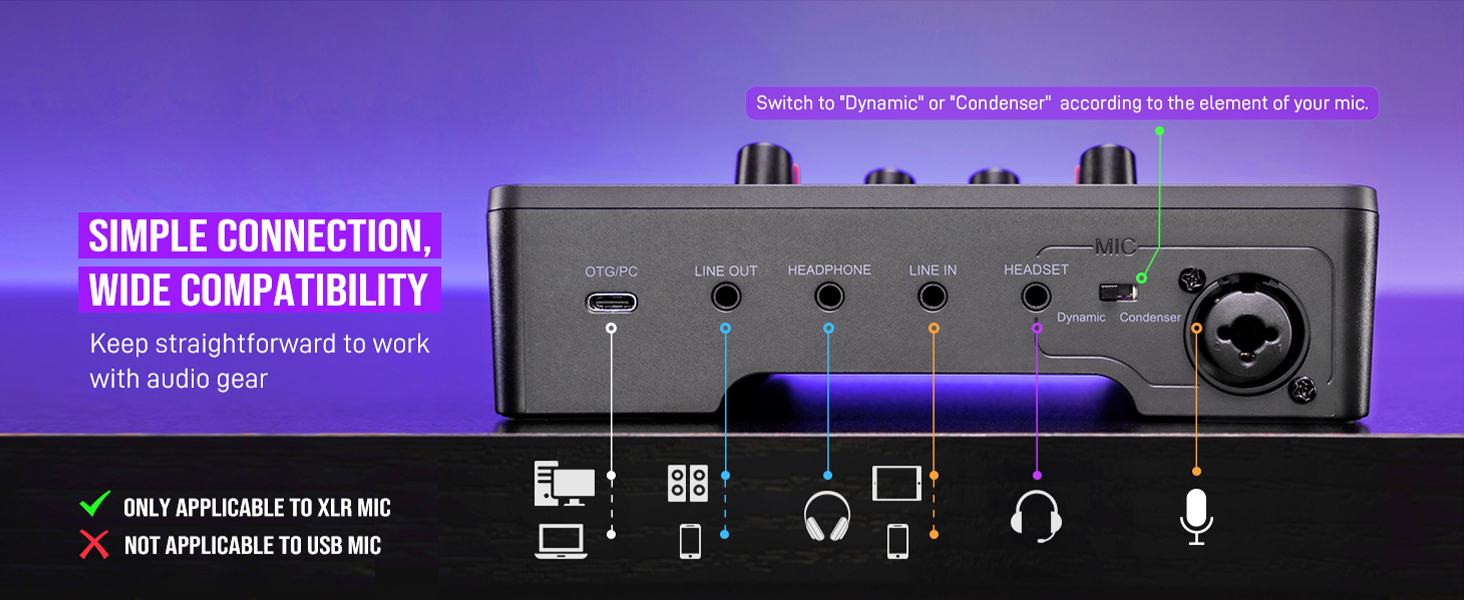
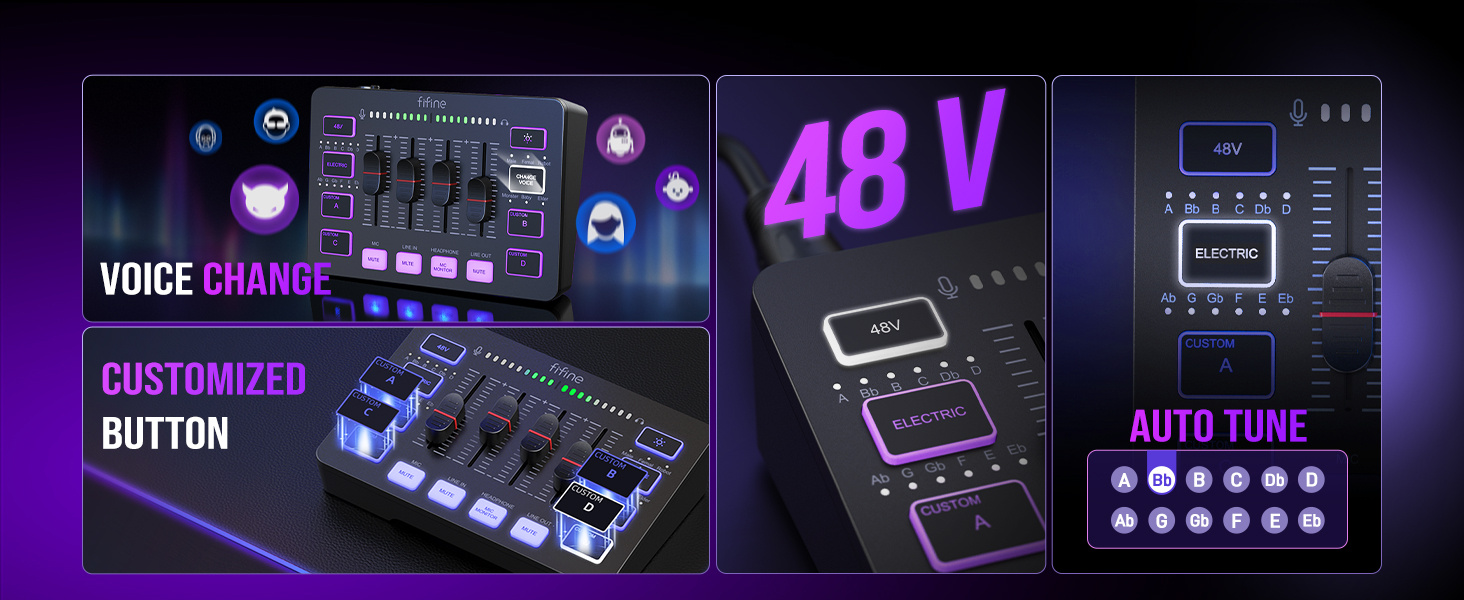
- [XLR Mic Input] One XLR microphone input interface is set on the gaming audio mixer, which is great to up your audio quality with your XLR setup. The XLR mixer is a stepping stone to upgrade your live streaming. Audio mixer offered built-in 48V phantom power which opens up more choices for mics. Directly use it with your condenser microphone but do not solve added peripherals. (NOT available for USB mic)
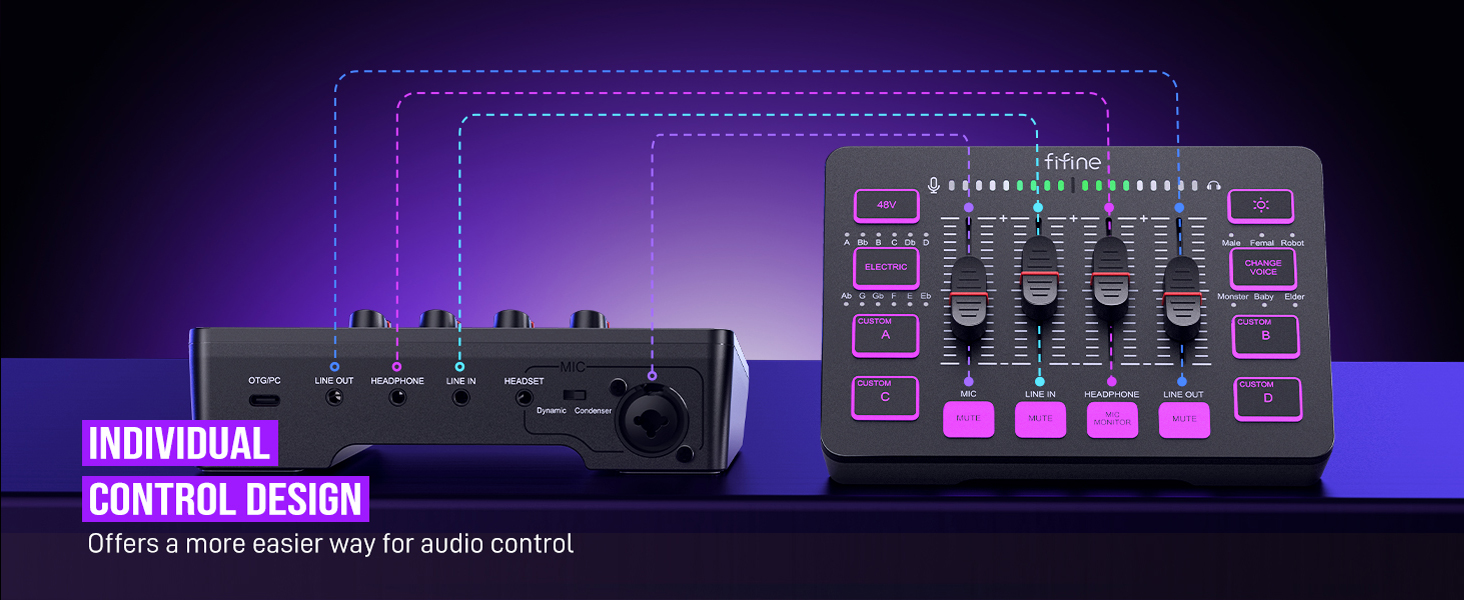
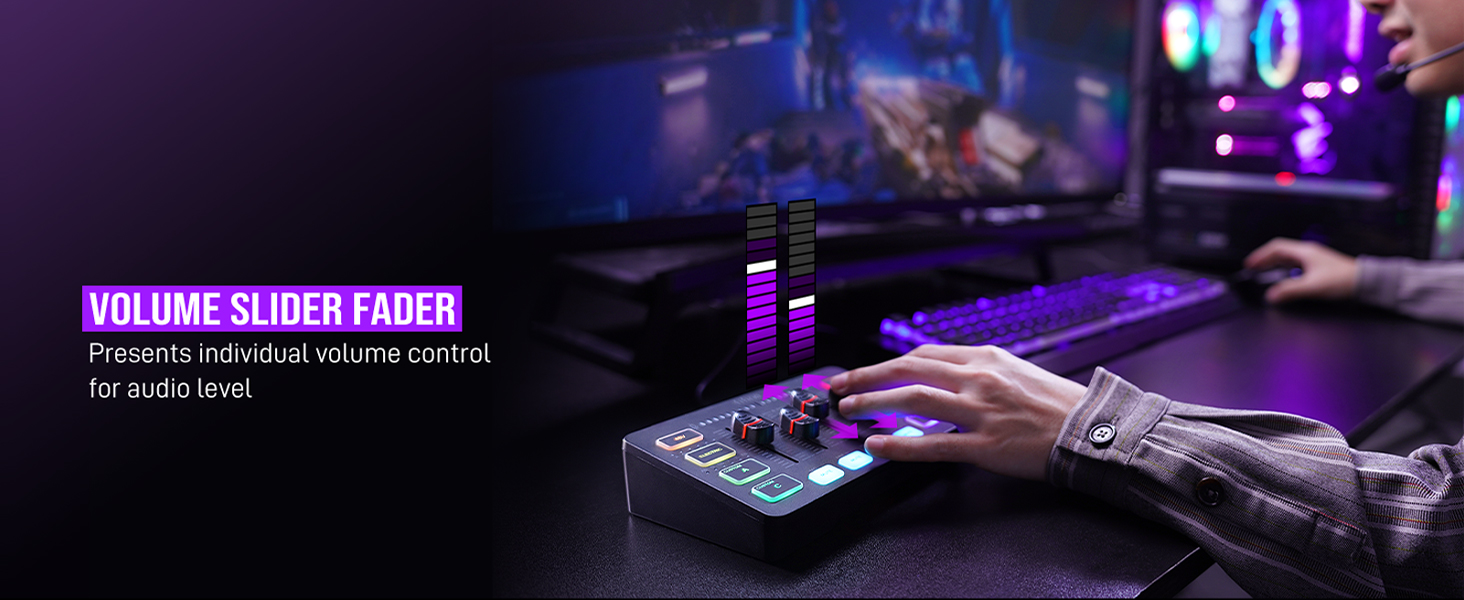
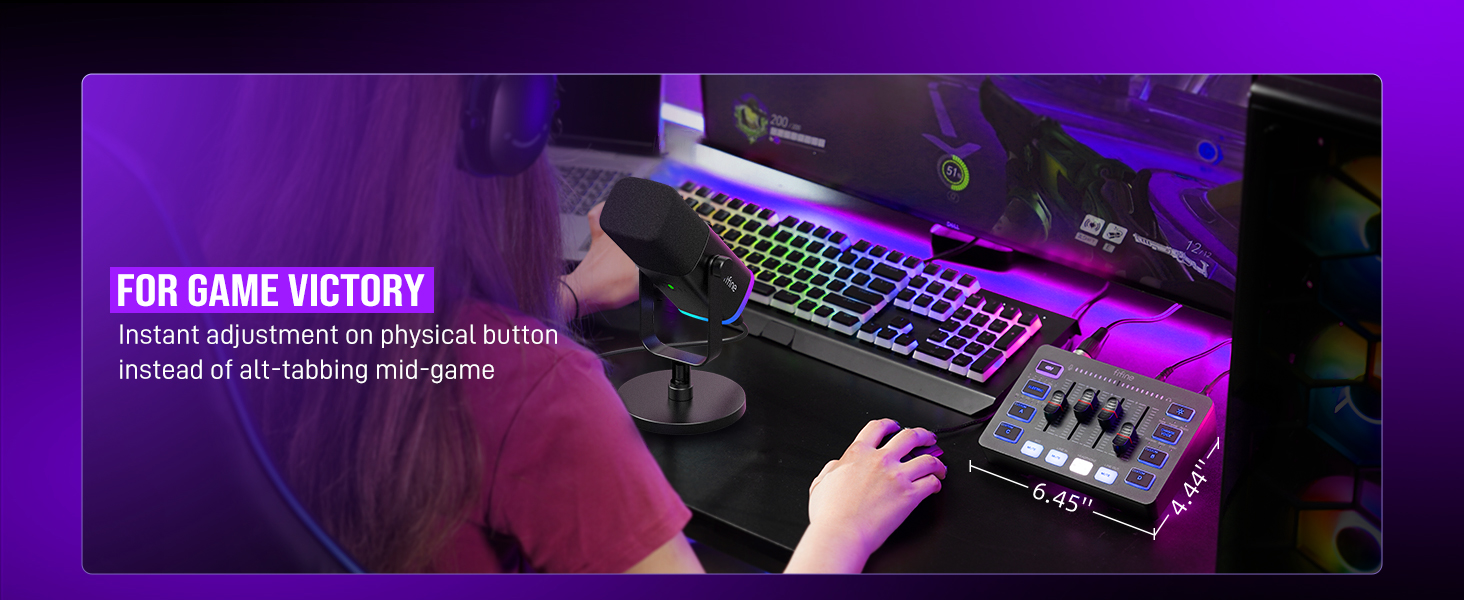
- [Individual Channel Control] Gaming audio mixer for one mic recording with smooth volume slider fader take your streaming recording to a whole new level with full pleasure. Four independent channels set on the DJ mixer give audio volume of the MICROPHONE, LINE IN, HEADPHONE, and LINE OUT channels individual control. Configurable on the PC audio mixer instead of just operating on your game or streaming software.
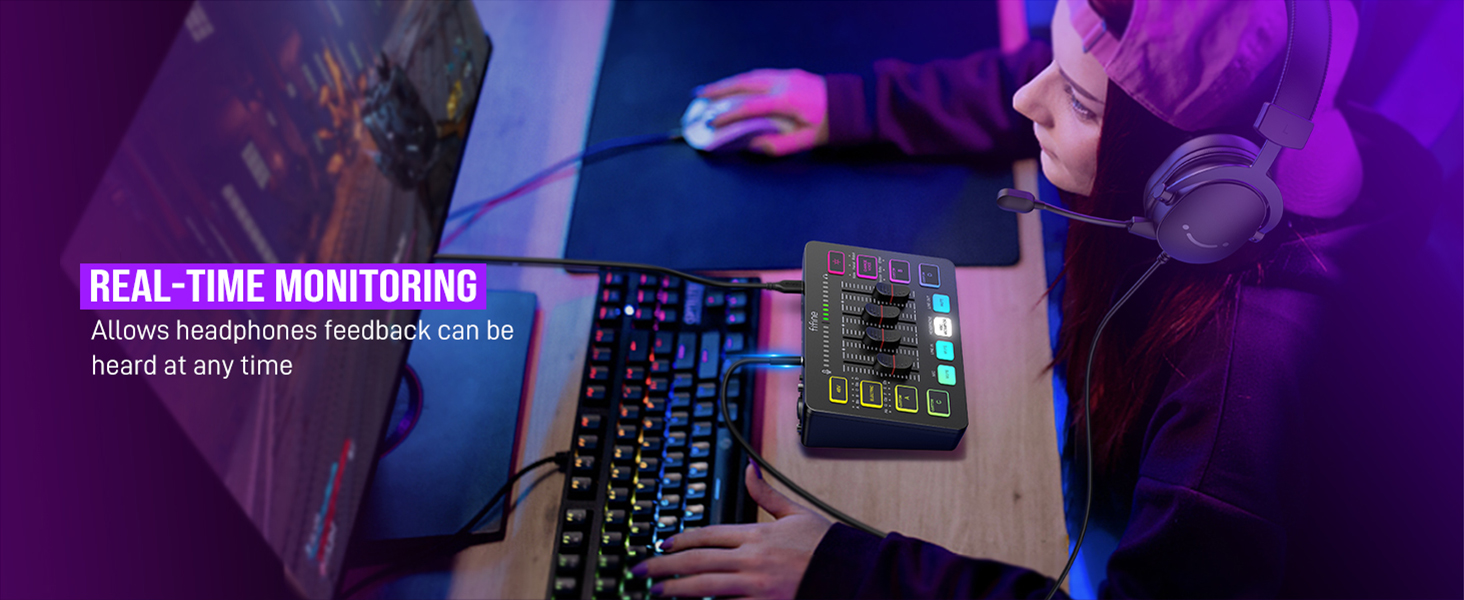
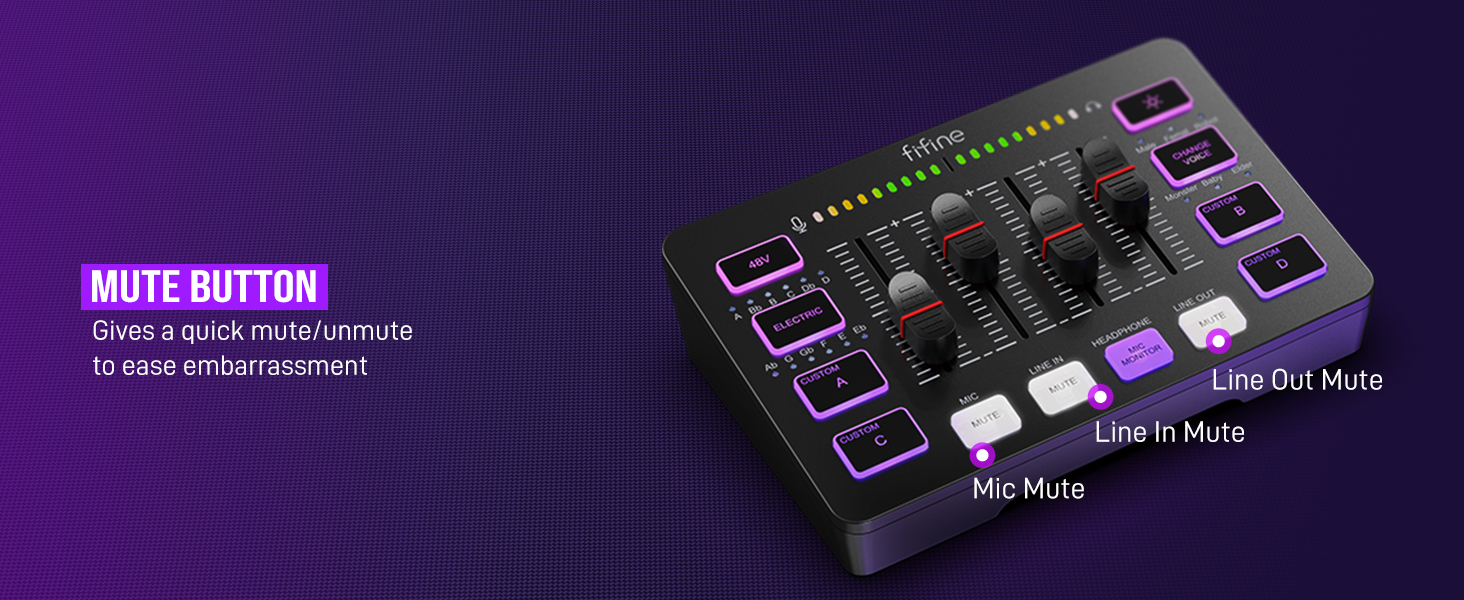
- [Mute and Monitor] The front mute and monitor buttons but not at the back, make it easier to get the audio interface use. Ability to mute audio, the audio mixer for streaming prevents background noise from damaging your live broadcast. Real-time feedback between speaking and hearing will not distract your attention, which encourage you to speak more confidently. The sturdy-built control button allow you to operate freely and easily during live streaming.
- [Sound Effects] The computer sound mixer supports four pre-recorded customized button that can be recorded and activated at the press of button to post production. 6 kinds of voice changing modes change your output style. 12 auto tune changes the tone of your voice. The podcast mixer being able to add different and fun effects is a huge bonus for your streaming or game voice.
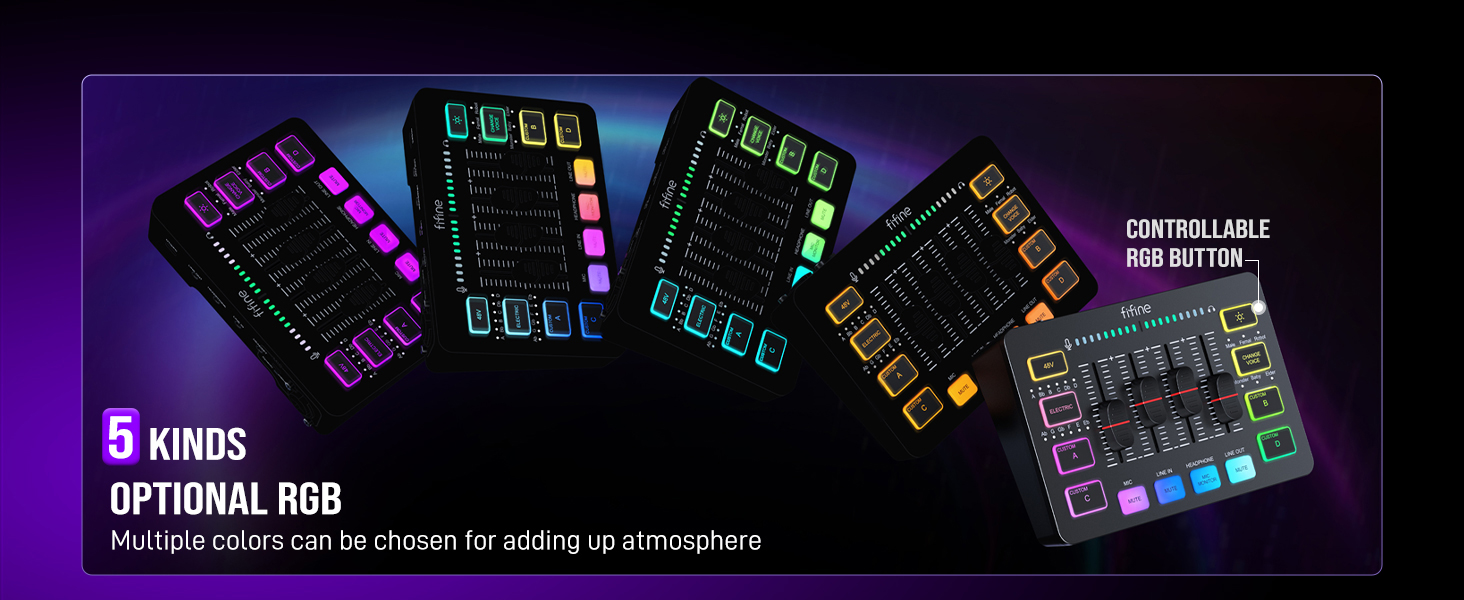
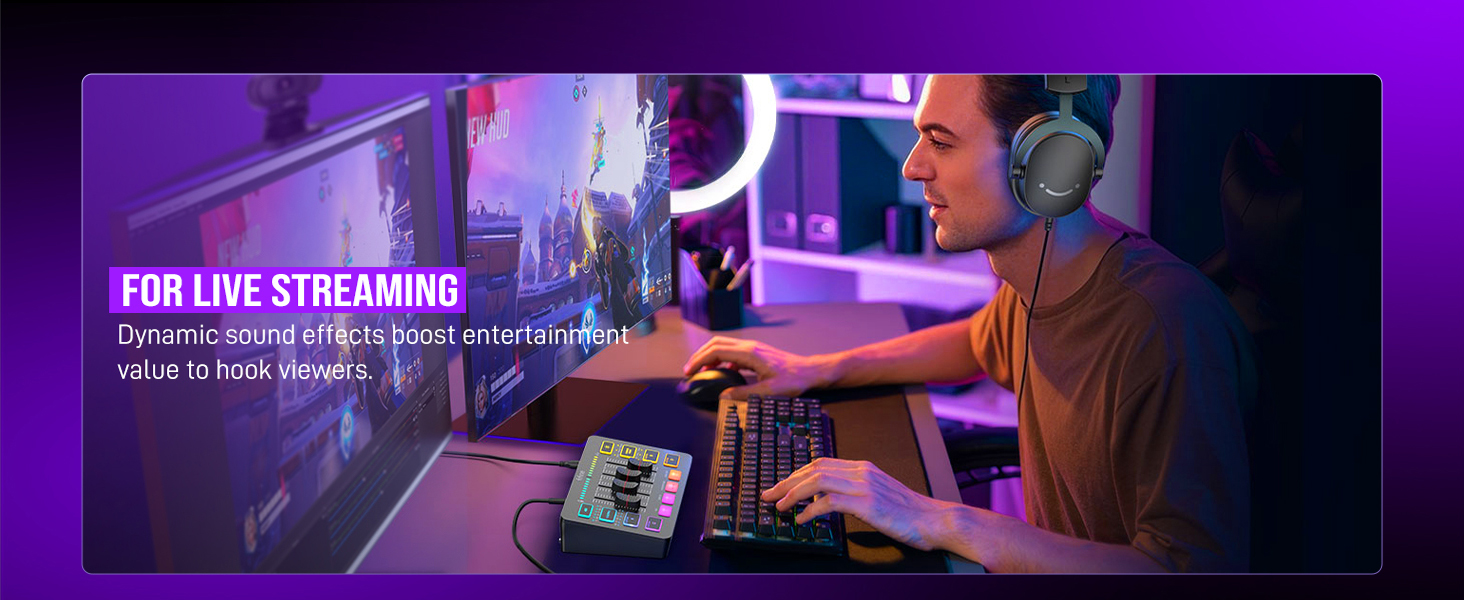
- [Controllable Vibrant RGB] RGB button on the audio mixer DJ meets different live streaming themes. Lights on the video mixer is vibrant but not harsh on your eyes. Flowing or frozen RGB color rotation in a decent pace presents a greatly strong impression as a "light show" to your audience. Even a streaming equipment accessory will not be dull looking when video production.
- [Easy Use for More Scenes] The streamer setup mixer features easy and intuitive audio port to support two PC settings or audio mixing, able to physically balance music, game or audio settings. Plug 'n play solution works well with Mac OS/Windows. The computer DJ mixer for beginners brings breadth to live streaming on OBS, online chat on Twitch, Youtube/Tiktok video creation. The audio mixer is set with two input and two output interface (Mic and Line in, Headphones and Line out) and a headset interface.
- Tips: 1.) USB-C to USB-A/C cable used to connect mixer and computer via Type-C interface on the mixer. 3.5mm to 3.5mm audio cable used to connect mixer and 3.5mm audio device (like phone or tablet) via LINE IN on the mixer 2.) XLR cable NOT included. Audio quality may be influenced by XLR cable specifications like length, shielding or connector condition. It is recommended use a shielded one. 3.) Input Interface: Mic, LINE IN and Headset. 4.) Output Interface: Headphones, LINE OUT and Headset.
| Brand | FIFINE |
| Number of Channels | 4 |
| Product Dimensions | 4.44"D x 6.45"W x 1.6"H |
| Item Weight | 0.5 Kilograms |
| Connectivity Technology | USB, XLR for Mic Input |